The first hour
A new workspace holds no records. Work in the order below, because each step supplies the answers the next one asks for. Nothing has to be finished in one sitting: a record may be left in draft and picked up later.
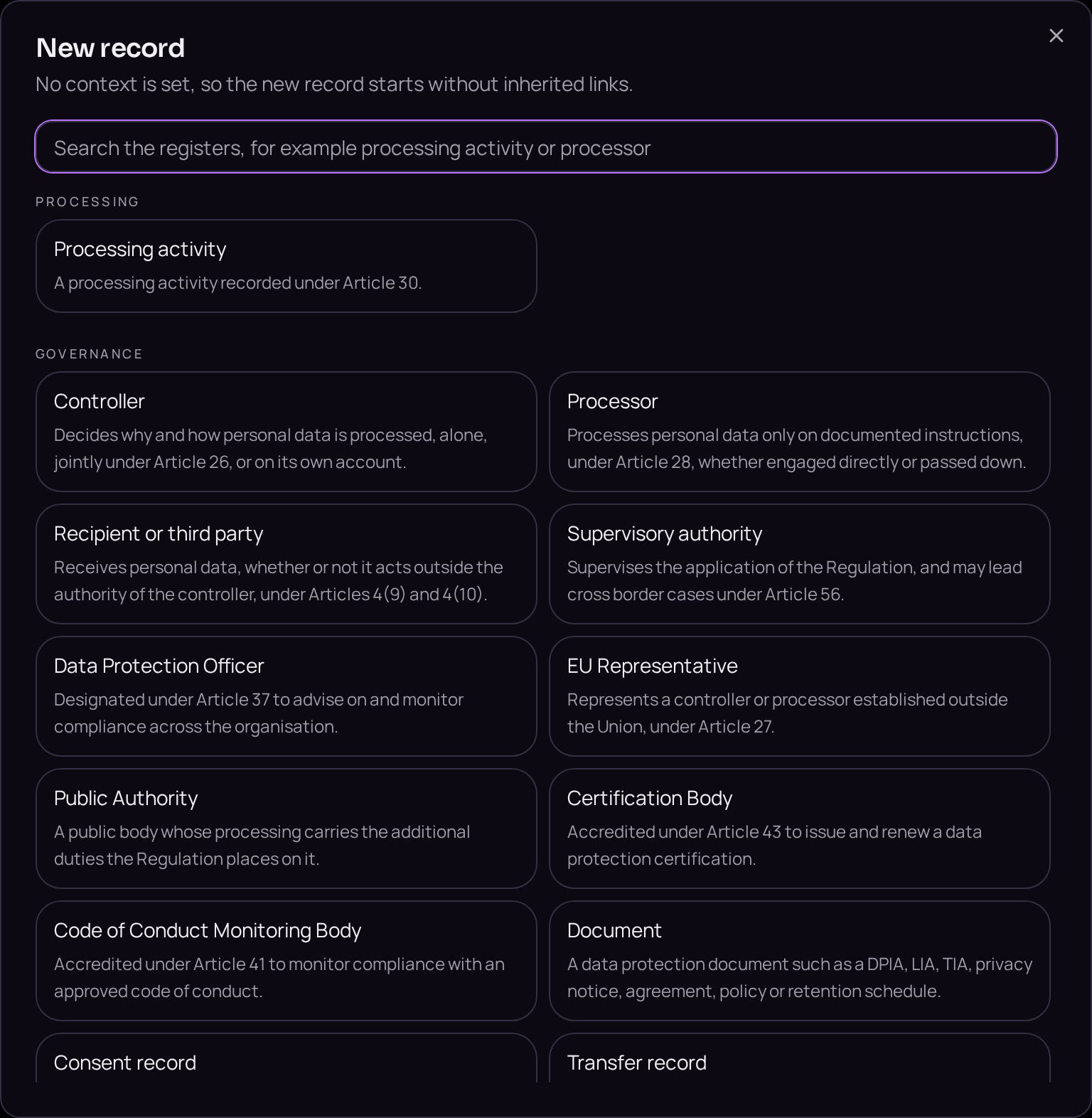
- 01Record your organisationClick Entities in the left menu, press the plus button beside the register title and choose Controller from the New record dialog. On the Details tab fill in Legal name and Country of establishment, and on the Context tab fill in Contact details, then click Save. Add a business unit for each part of the organisation you want to report by, the same way, choosing Business unit instead.
- 02Record the peopleOpen Entities, press the plus button and choose Person for each colleague who will own, write, approve or advise on records. Fill in their name and contact details, and where the organisation has one, set Entity role to Data Protection Officer for the person appointed to it, then click Save.
- 03Describe your data subject setsClick Data subject sets in the left menu, press the plus button and choose Data subject set. Fill in Who is in the set and Data subject categories, then click Save. Create one set for each site, geography or department, so the record of processing can be read by location.
- 04Set the contextIn the context band across the top of the workspace, choose the controller, the business unit and the data subject sets you just created. Everything you create from here inherits that context automatically.
- 05Record your first processing activitiesClick Processing activities in the left menu, press the plus button and choose Processing activity. Start with the processing everyone recognises, such as payroll or recruitment: one record for each purpose, saved in Draft.
- 06Read the gapsClick Gaps in the left menu. Each entry states the severity, the article and a remedy; click a remedy to open the exact record on the exact field, and work down the list rather than guessing what is missing.