Steps
A processing activity is the centre of the programme. Every other register hangs from it.
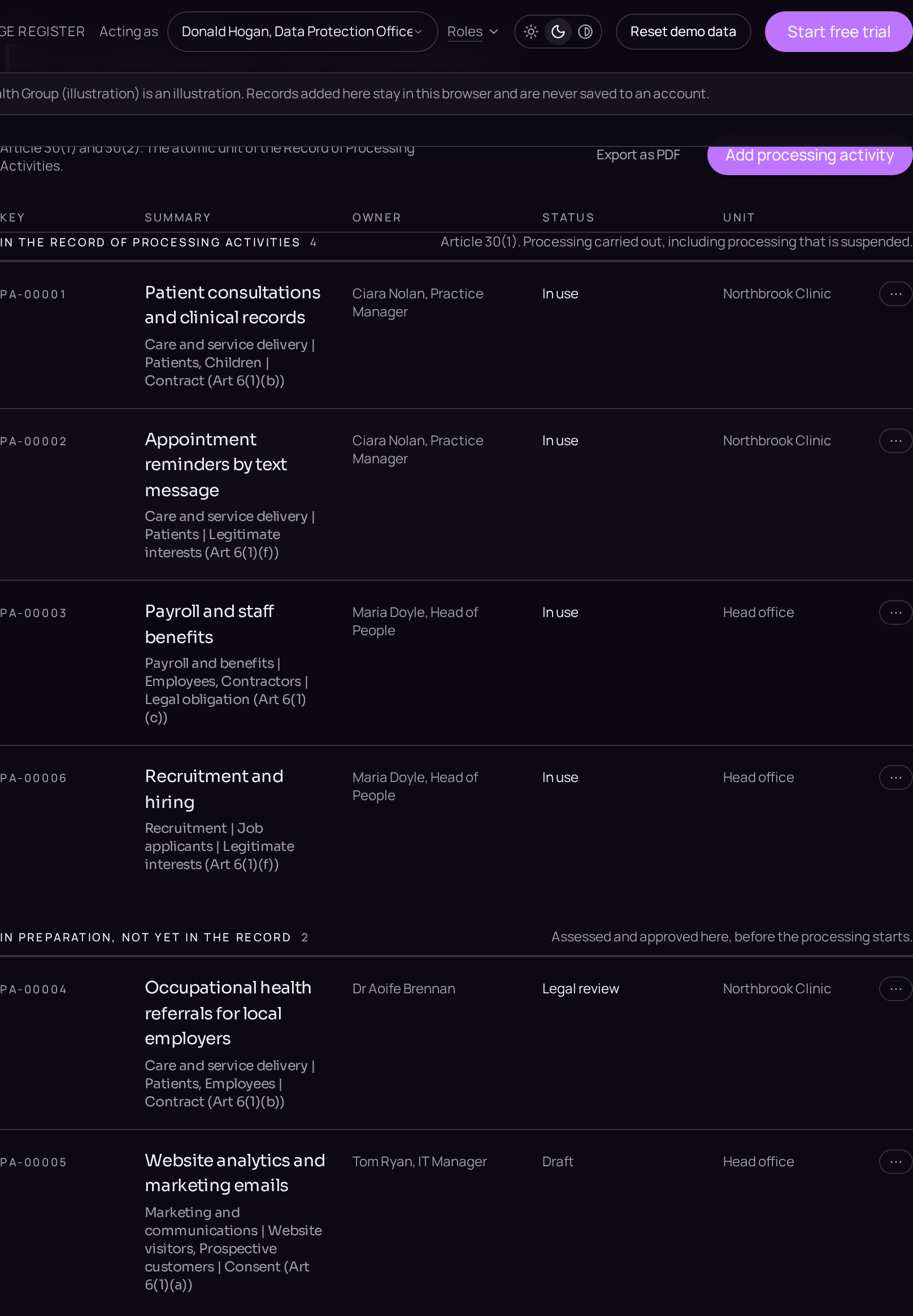
- 01Create the recordClick Processing activities in the left menu, press the plus button beside the register title and choose Processing activity from the New record dialog. The context you are working in is inherited automatically.
- 02State the special categories firstOn the Details tab, answer Special category data is processed and Criminal conviction or offence data. The Article 9(2) condition, the Article 10 authority and the safeguards asked for further down the tab follow from these two answers.
- 03State the purposeStill on Details, choose Processing purpose so activities can be aggregated, then write Specific purpose in the words a supervisory authority would read.
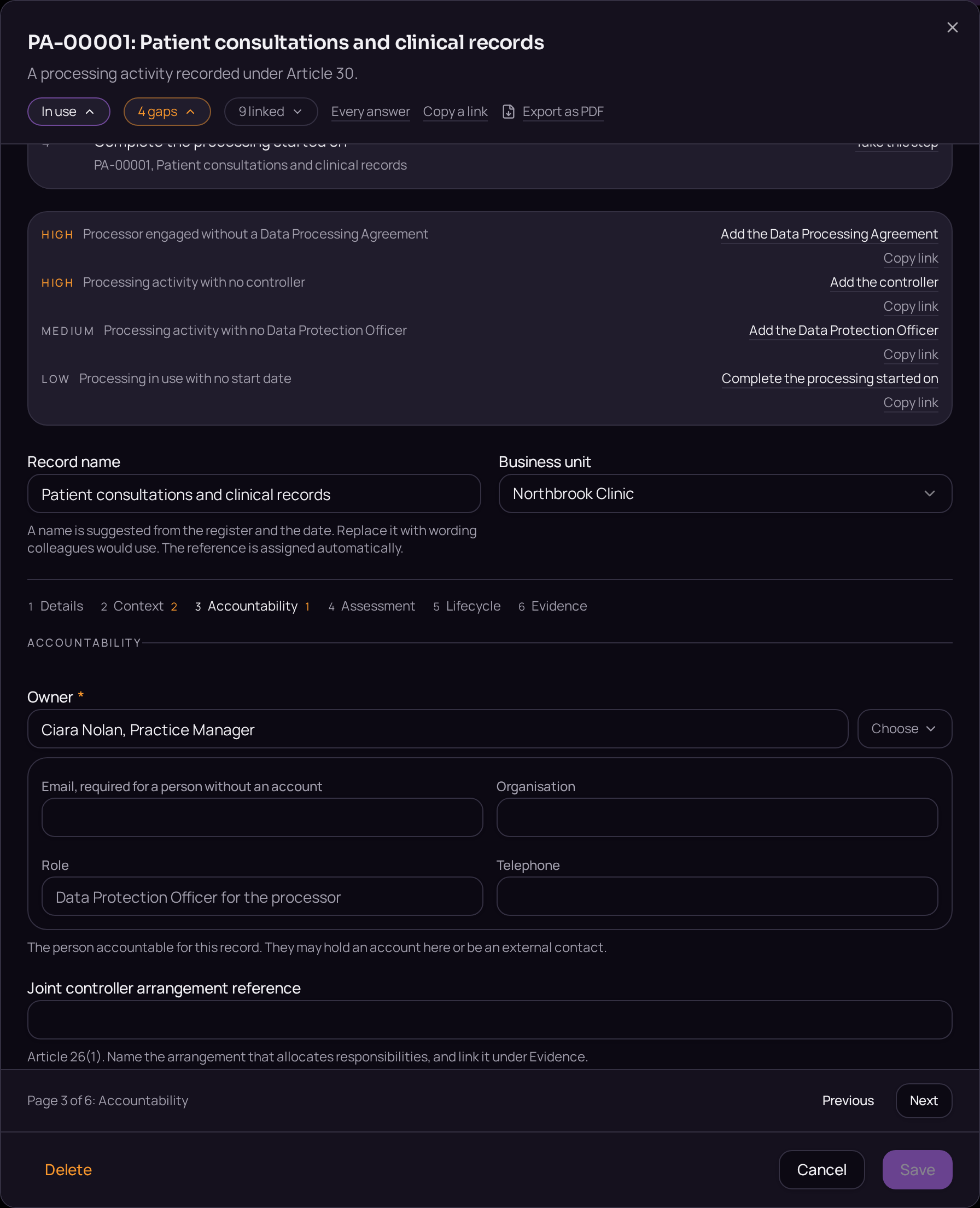
- 04Complete the contextClick the Context tab and fill in the data subject categories, the personal data categories and Categories of recipients. Click Link an existing entity, or Create a new one instead, to name the controller and the processors.
- 05Name who is accountableClick the Accountability tab and fill in Owner, Author and Approver from the people in the workspace, then use the Data Protection Officer relation to link one where the organisation has appointed one.
- 06State retention and securityOn the Details tab, fill in Retention rule and Retention trigger, and answer Involves a transfer outside the Union. Click Save.
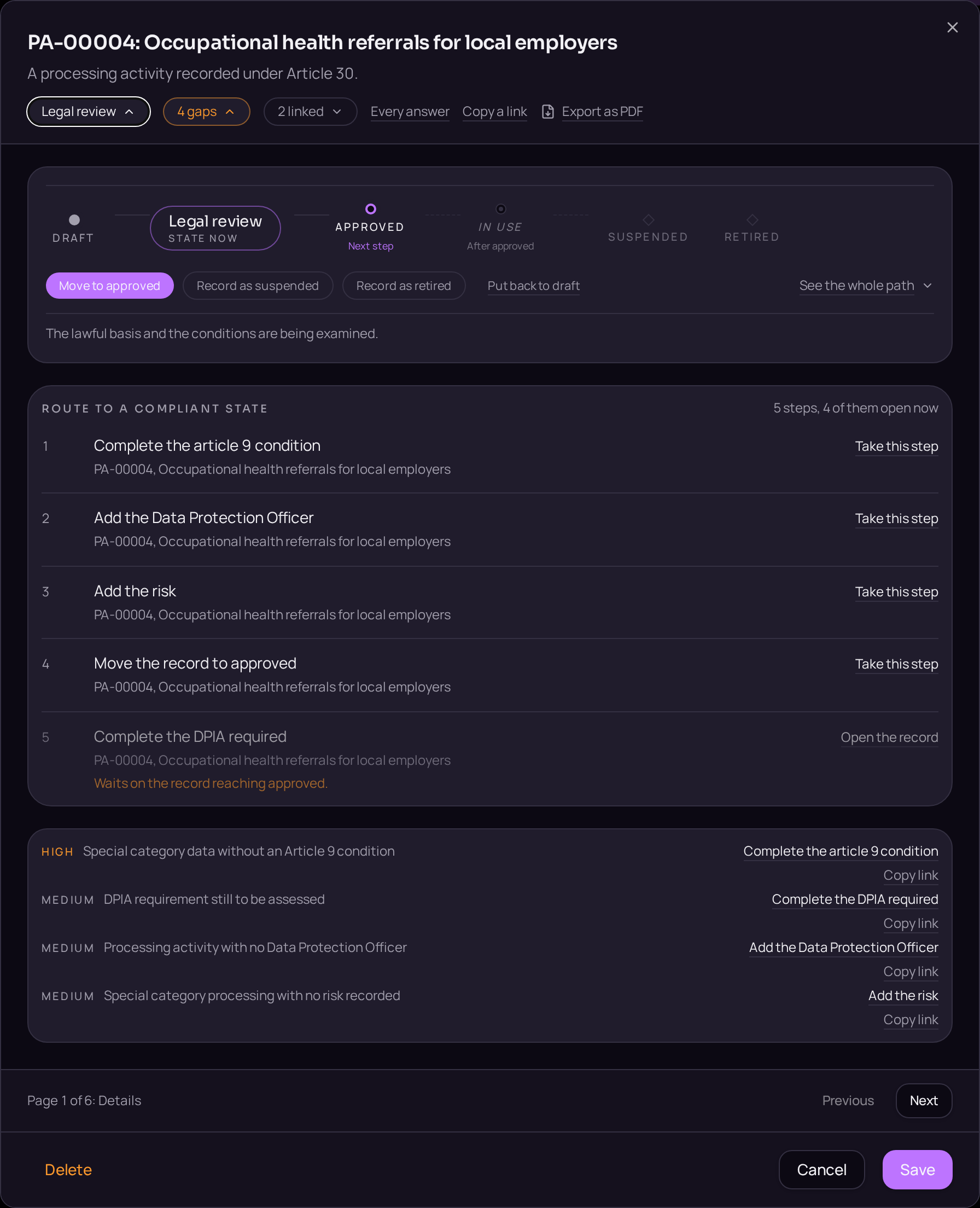
- 07Move the record to in useOn the lifecycle bar, select Legal review, click Record as legal review, then repeat for Approved and In use. Once the record reads In use, it appears in the record of processing and its Article 30 duties apply.