Steps
A risk is raised once and carried as one record. This walkthrough covers identification and the initial assessment only; treatment and approval follow in the next walkthrough.
- 01Create the riskClick Risk and security in the left menu, press the plus button beside the register title and choose Risk. The context you are working in is inherited, so the risk already belongs to the right organisation and business unit.
- 02Write the risk in one sentenceOn the Details tab, fill in Contributing condition or weakness and Risk event: because reminder messages hold a clinic name, a message sent to a reused number discloses a health condition to a stranger. A risk written as a topic, such as "email security", cannot be assessed.
- 03Record where it came fromOn Details, set Where this risk came from to an impact assessment, an audit finding, a breach, a supplier review or an operational report, so the reasoning stays traceable a year later.
- 04Scope itOn the Context tab, set Risk scope and click Link an existing processing activity, Link an existing data subject set and Link an existing resource for everything it applies to. Where likelihood, consequence or controls differ between them, raise a separate risk rather than widening this one.
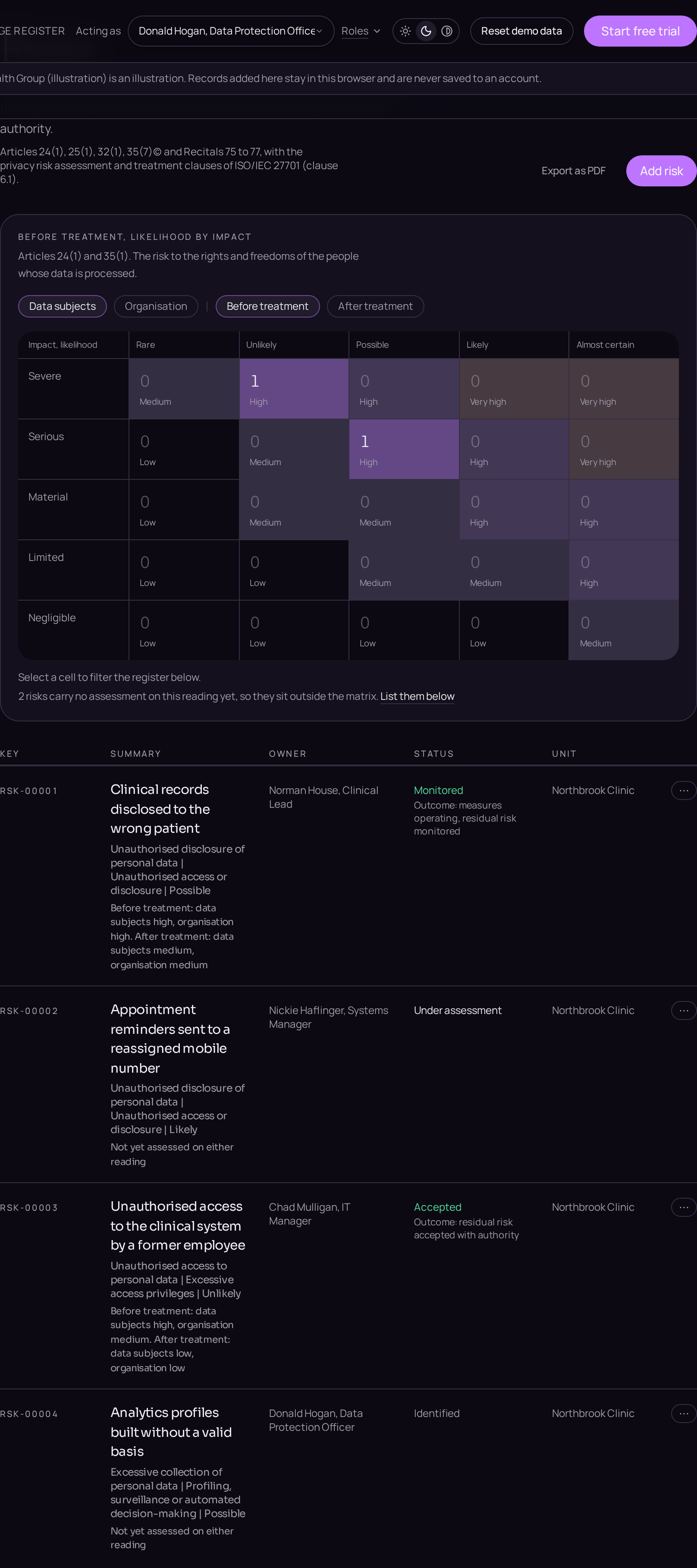
- 05Rate the likelihood onceOn the Assessment tab, set Inherent likelihood on the five point scale. It is a property of the event, so it is recorded once and read against both consequences.
- 06Rate the consequence for data subjectsOn the Assessment tab, set Inherent impact on data subjects, under Articles 24(1) and 35(1): distress, discrimination, loss of confidentiality, financial loss, or an effect on access to care or employment.
- 07Rate the consequence for the organisationOn the same tab, set Inherent impact on the organisation separately: enforcement, litigation, cost, service interruption or reputation. The two consequences are never averaged.
- 08Read the ratingsClick Save. Both ratings appear derived from the matrix and cannot be typed in. A high rating on the data subject lens is what draws the risk into an impact assessment and, where it stands after treatment, into prior consultation under Article 36.