Lawfulness and transparency
Review necessity and data minimisation
Assess whether each category of personal data is adequate, relevant and limited to the purpose, and raise a remediation where it is not.
An onboarding form that collects a date of birth nobody uses is a minimisation failure waiting to be found. Reviewing an activity's Context tab against its stated purpose is how that excess is caught before a regulator finds it first.
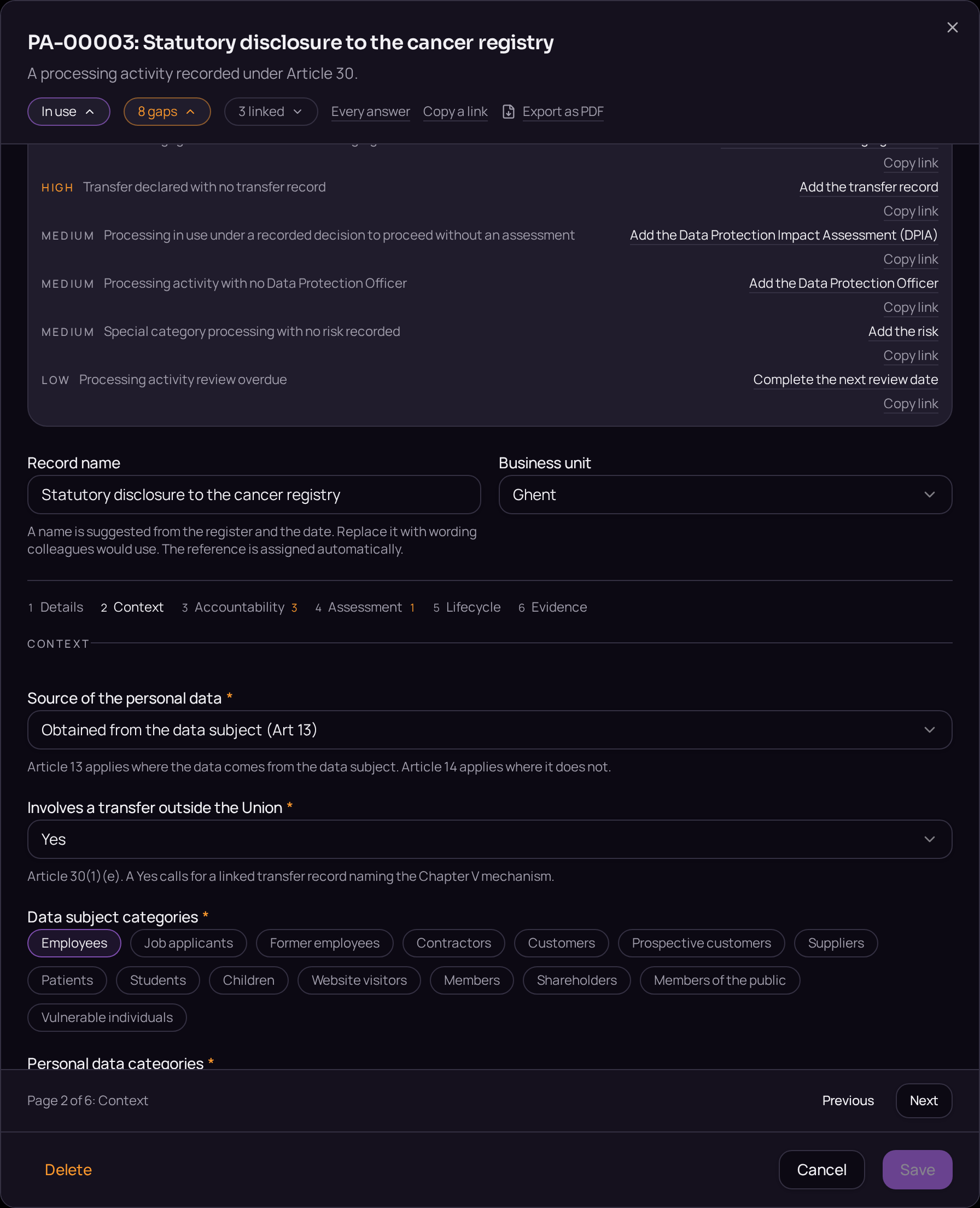
This is exercised periodically, or whenever a field is added to a form, by reading the categories of personal data held against the activity and asking, category by category, whether the purpose still needs it.
The proof is that every category left in place carries a stated necessity, and that removing one that does not raises a tracked action rather than a quiet code change.
- Regulation
- Articles 5(1)(c) and 25
- Registers
- Processing activity · Risk · Privacy action · Audit and review
The steps
- 01Open the activity's Context tab and read the categories of personal data held.
- 02For each category, either write its necessity in the field provided or remove it from the list.
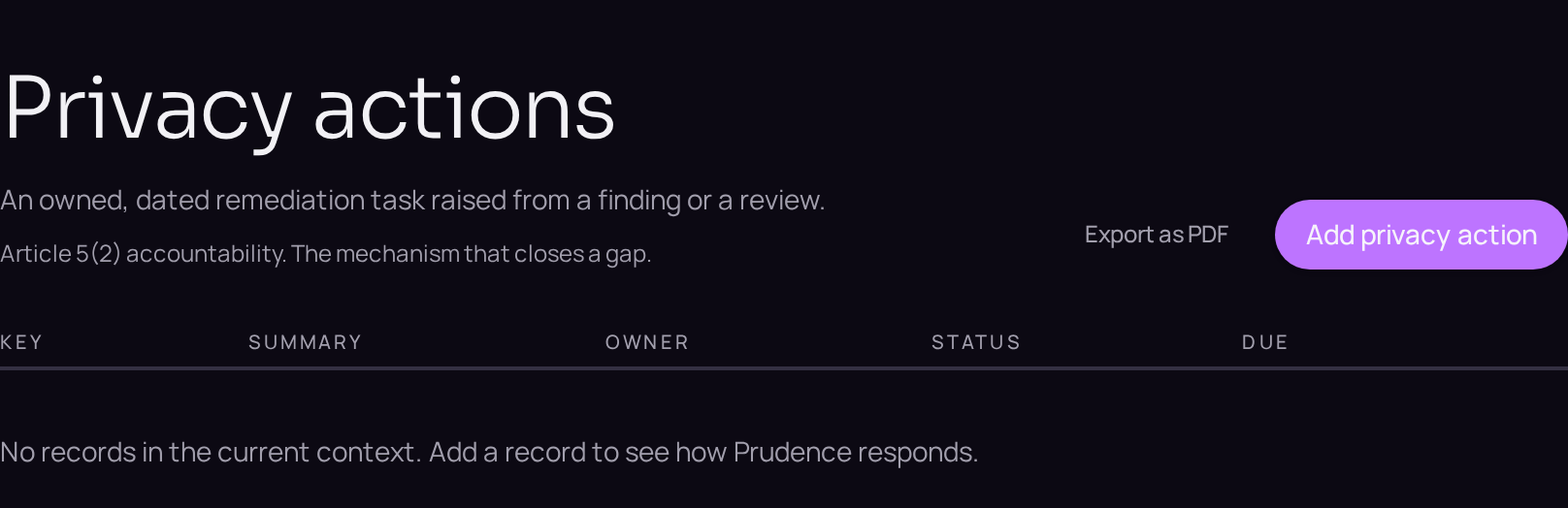
- 03Where a system has to change to stop collecting a category, open the Privacy actions register and use the plus button beside the register title to raise the action.
- 04Link the action back to the activity and name an owner and a deadline.
- 05Open the Gaps panel to confirm the unnecessary category no longer appears.
Accepted when
- A category with no stated necessity is reported as a gap.
- The action carries an owner and a deadline.