Governance and inventory
Establish the scope of the management system
Define the organisations, business units, jurisdictions and processing operations the management system covers, and hold the exclusions with a reason.
Take a group such as Northfield Health Trust, made up of a controlling charity, two trading subsidiaries and a research arm that sometimes acts alone. Before any register is populated, someone has to state which of these legal persons the programme covers, and which sites and countries sit inside that boundary.
Nothing else in the workspace is trustworthy until this is settled. A processing activity created against a business unit that was never brought into scope produces a record of processing that overstates or understates what the organisation actually does.
The outcome this proves is that a reader can open one document and see the entire boundary of the programme, including what was deliberately left out and why.
- Regulation
- Articles 3, 5(2) and 24
- Registers
- Policy · Entity · Business unit · Audit and review
The steps
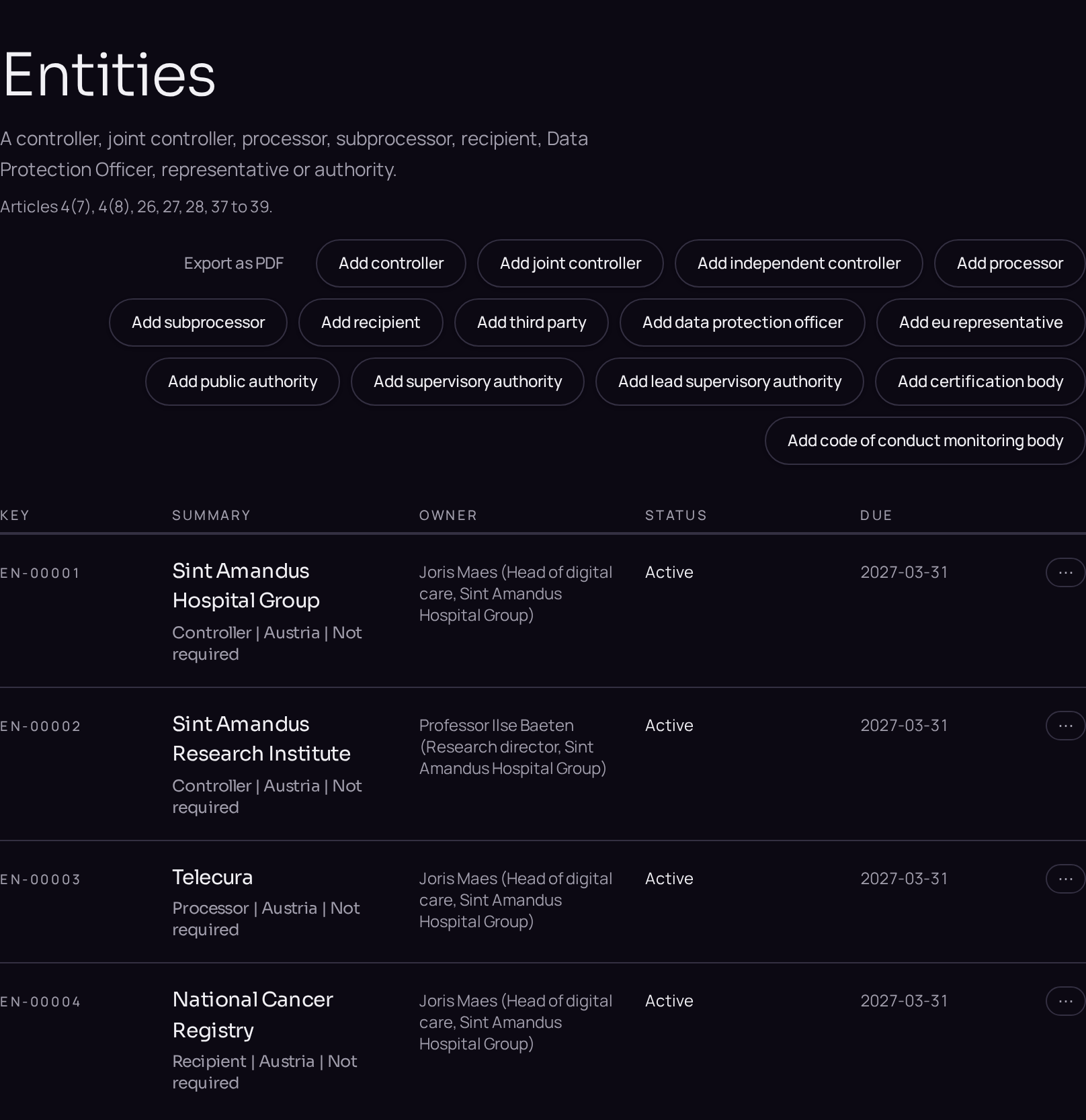
- 01Open the Entities register in the Governance section of the left menu and use the plus button beside the register title to create the controlling entity.
- 02Repeat for every further legal person the programme covers, choosing the role that describes it.
- 03Open the Business units register and add one record for each site, department or country the programme reaches, linking it to its parent entity on the Details tab.
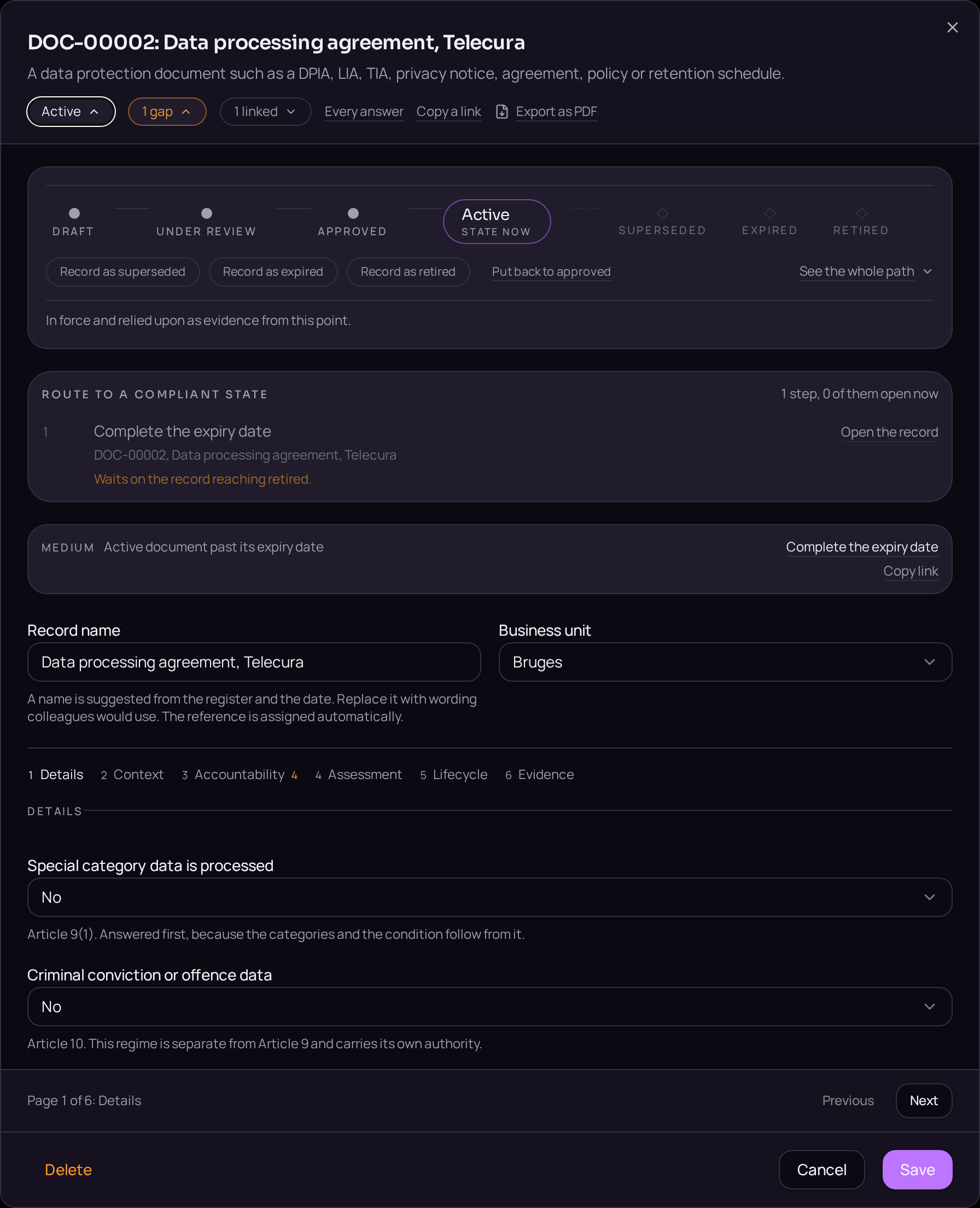
- 04Open the Documents register, create a document of the policy type, and name it the scope statement.
- 05On the Details tab, name the owner and the approver of the statement, and write the boundary in the body field.
- 06List every exclusion in the same field, with the reason it falls outside the boundary.
- 07Move the document from Draft to Approved on the lifecycle bar, confirming the approver and the date.
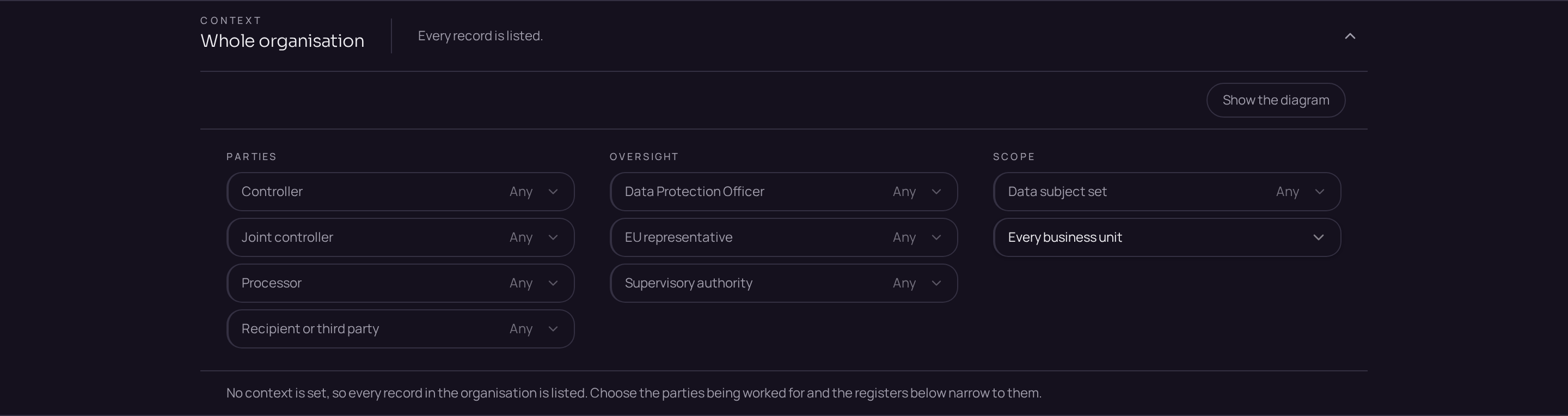
- 08Check the context band at the top of the workspace: every business unit just created should now be offered there.
Accepted when
- The approved scope is readable from one record.
- Every business unit later offered in the context band appears in that scope.
- An exclusion without a reason is reported as a gap.
Documents that carry the evidence
- POL · Data protection policy set
- The governing policies, the scope statement of the management system and the roles that carry it. Articles 5(2) and 24.
These templates are issued when the register opens, so the document exists before the record that cites it.